こんにちは!beardです!
今回は、ServerspecでWindowsServer2008R2のテストをしてみます。
ServerspecでWindowsをテストするときはwinrmという機能を使います。
ざっくりと紹介しますと、Windowsをリモート制御できるプロトコルになります。
1. テストするWindows環境の準備
まずEC2でWindowsServer2008R2 BaseのAMIを選び起動させます。2008R2のEC2ではwinrmはデフォルトで起動しています。Serverspecでテストするためには二つ、winrmの設定を変更します。コマンドプロンプトで以下の二つを実行します。
1$ winrm set winrm/config/service @{AllowUnencrypted="true"} ←winrmの暗号化を解除2$ winrm set winrm/config/service/auth @{Basic="true"} ←Basic認証を有効にします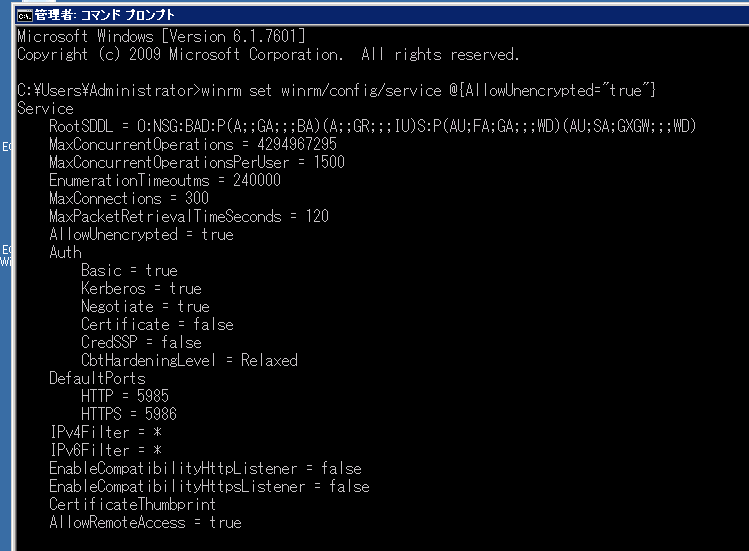
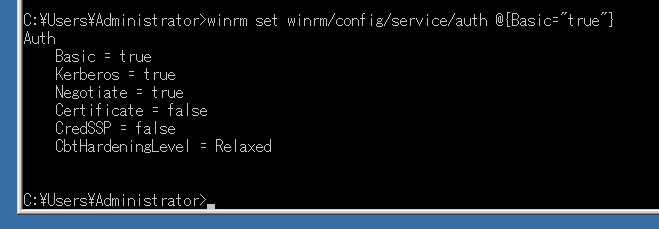
実行したところ
2. Serverspec側の準備
Windowsなので新規にディレクトリを作ってserverspec-initをするのがお勧めです。
1$ serverspec-init2Select OS type:34 1) UN*X5 2) Windows67Select number: 2 ←Windows89Select a backend type:1011 1) WinRM12 2) Cmd (local)1314Select number: 1 ←WinRM1516 + spec/17 + spec/localhost/18 + spec/localhost/httpd_spec.rb19 + spec/spec_helper.rb20 + Rakefilespec/spec_helper.rbの内容をテスト対象のサーバに対応させます。
spec/spec_helper.rbの内容
1require 'serverspec'2require 'winrm'34include SpecInfra::Helper::WinRM5include SpecInfra::Helper::Windows67RSpec.configure do |c|8 user = "Administrator" ←AdministratorかAdministrator権限を持ったユーザ9 pass = "******" ←パスワード10 endpoint = http://8.8.8.8:5985/wsman ←テスト対象のIPアドレスとwinrmのポート(デフォルトは5985です)1112 c.winrm = ::WinRM::WinRMWebService.new(endpoint, :ssl, :user => user, :pass => pass, :basic_auth_only => true)13 c.winrm.set_timeout 300 # 5 minutes max timeout for any operation14endspec/localhost/httpd_spec.rbがデフォルトで生成されますが、こちらはLinux用のものができてしまうので以下のように書き換えます。
今回は、基本操作をするだけなのでテスト内容はc:/windowsのフォルダがあることだけをテストします。
spec/localhost/httpd_spec.rbの内容
1require 'spec_helper'2describe file('c:/windows') do3 it { should be_directory }4end3. 実行します
1$ rake spec2/usr/bin/ruby2.0 -S rspec spec/localhost/httpd_spec.rb3.45Finished in 7.24 seconds61 example, 0 failures1 example, 0 failuresと表示されれば成功です。
いかがでしたか。
数値だけを変数として扱うことで、コードを変更せずにスペックの違いをテストすることができます。
いかがでしたでしたか。
次回もお楽しみに!!